Editorial owner: Genflow Editorial · report a factual correction
Research and product review completed: September 7, 2026
To keep AI product backgrounds consistent across a catalog, define a background standard for each category and destination before editing. Lock the real product, placement, scale, horizon, light and shadow rules; generate a small calibration batch; compare products together on a contact sheet; and route exceptions instead of accepting each image alone.
The goal is not to make every image identical. It is to make intentional families: a marketplace main-image family, a PDP studio family and one or more lifestyle families. Product truth stays fixed while the approved scene changes.
Build a Background Standard Card
Create one card per category-and-destination pair. A skincare bottle on a marketplace main image and the same bottle in a campaign lifestyle image need different contracts.
Card ID and owner:
Product category:
Destination and image role:
Approved source-product file:
Protected product details:
Background role: clean / branded / contextual
Color or texture reference and tolerance:
Horizon, surface and perspective:
Product occupancy and placement:
Crop / aspect-ratio family:
Key-light direction and softness:
Contact shadow and reflection rule:
Allowed props and exclusions:
AI / composite provenance handling:
Destination policy checked on:
Exception owner:
This card sits between the per-SKU product photography brief and the catalog image release checklist. The brief decides what to make. The card makes the visual system repeatable. The release checklist verifies the final file and destination.
Step 1: separate the product mask from the creative area
Mark the product region that must not change. Include silhouette, cap and closures, label and legal text, logo, color, material, texture, transparent edges, included accessories and any variant-defining detail. Save the original capture beside the edit.
Then mark the creative area: background, surface, supporting shadows and permitted props. If the task is background replacement, the prompt should not authorize redesign of the product. A polished scene with a changed nozzle, gemstone count or package quantity is a failed product image.
For difficult edges—glass, fur, fine chains, translucent packaging or reflective metal—add a close inspection crop to the card. Do not hide an edge failure with blur or a busy prop.
Step 2: create three background families
Clean listing family
Use for main images or comparison-heavy category grids. Define the exact destination requirement, product occupancy, crop, background value and shadow rule. Google Merchant's current main-image guidance recommends accurate product display, minimal staging and a solid white or transparent background in many cases; requirements differ by destination and product type. Check the live policy rather than copying one marketplace's rule everywhere.
Branded studio family
Use a controlled color, paper sweep, gradient or surface that supports the brand while keeping products easy to compare. Specify a color reference, horizon position, light direction and maximum texture contrast. “Warm beige” is not repeatable enough for a 200-SKU grid.
Contextual lifestyle family
Use to show scale, setting or use. Define which props are allowed, what physical contact is plausible, and which claims the scene must not imply. A water splash, medical-looking room or oversized ingredient can change the commercial meaning of an otherwise attractive image.
Each family needs its own source and acceptance record. Do not convert a lifestyle scene into a marketplace main image merely by cropping it tighter.
Step 3: calibrate with a hard, medium and easy SKU
Before processing the catalog, choose three representative products:
- an easy opaque product with simple edges;
- a medium product with label text, mixed materials or a reflective surface;
- a hard product with transparency, fine detail, irregular geometry or multiple pieces.
Run the same card on all three. If the background works only for the easy item, the standard is not ready. Revise the card—not the product truth—until the family works or document which category needs a separate standard.
This calibration is a production test, not a claim that three samples prove every SKU. It is a small, deliberate way to expose edge cases before broad use.
Step 4: review a contact sheet before approving single images
Place 12 to 24 candidate images in a grid at the size shoppers will encounter. The exact count is a working range, not a platform rule. Compare:
- baseline and horizon alignment;
- product occupancy and vertical placement;
- background hue, texture and brightness;
- key-light direction and contrast;
- contact-shadow density and direction;
- crop safety at each destination ratio;
- whether adjacent variants still look like the real products.
A single image can look correct while breaking the category grid. The contact sheet reveals when a short bottle floats higher, a dark product receives a different shadow, or one background becomes visibly warmer than the rest.
After the group pass, inspect each protected product region at detail size. Consistent backgrounds do not compensate for inconsistent products.
Step 5: use an exception ledger
Do not weaken the standard for every product because one SKU is difficult.
| Exception | Likely cause | Smallest next action |
|---|---|---|
| White product loses its edge on white | insufficient separation or wrong shadow | add a permitted soft edge/shadow treatment; keep product color truthful |
| Glass inherits background color | edit crossed into the protected region | restore from source or use a better isolation path |
| Reflective metal shows impossible room geometry | generated reflections conflict with scene | revise reflection/light reference or use a controlled composite |
| Product scale varies across the grid | loose placement/occupancy rule | normalize the card and reframe affected outputs |
| Prop implies an unverified use or ingredient | creative area changed the claim | remove the prop and re-review the scene meaning |
| Main image fails destination policy | wrong family or stale requirement | hold export, recheck the live destination and rebuild that output |
Give every exception an owner and disposition: accept with reason, local repair, regenerate, reshoot, or exclude from that family. “Looks close enough” is not a reproducible decision.
Preserve provenance through export
Keep the source capture, edit instructions, reference assets, approved output and reviewer together. Where a destination requires generative-AI metadata, preserve the required fields through resizing and optimization. Google Merchant currently requires Digital Source Type metadata for generative-AI images used in specified product-image attributes and warns against stripping relevant metadata. That is a current Google Merchant rule, not a universal statement about every channel.
Record downstream automatic image improvements as another transformation layer. If a marketplace removes a background or generates a scene after upload, inspect the delivered result rather than assuming the approved file is what shoppers see.
How this maps to Genflow
Genflow can support reusable AI image workflows, and its current image-edit path accepts a source image plus optional reference images. A practical workflow can keep the real product source distinct from a background or style reference, then route candidates to human review.
The Background Standard Card and contact-sheet gate are editorial operating tools, not claimed native Genflow fields or automatic compliance checks. Keep them in the team's system of record. Model controls and output behavior change, so confirm the live settings and inspect every approved asset.
Start with the AI product photography tool when you need a reusable generation path. Use the accuracy-first jewelry workflow for especially fragile detail, and the cost-per-approved-image sheet when comparing production methods.
Research and preparation notes
Genflow Editorial reviewed ten current marketplace, vendor, standards and primary-research sources, mapped the topic against existing Genflow pages, and designed the Background Standard Card and contact-sheet gate from scratch. Automated tools helped organize evidence, draft the article and create the conceptual cover.
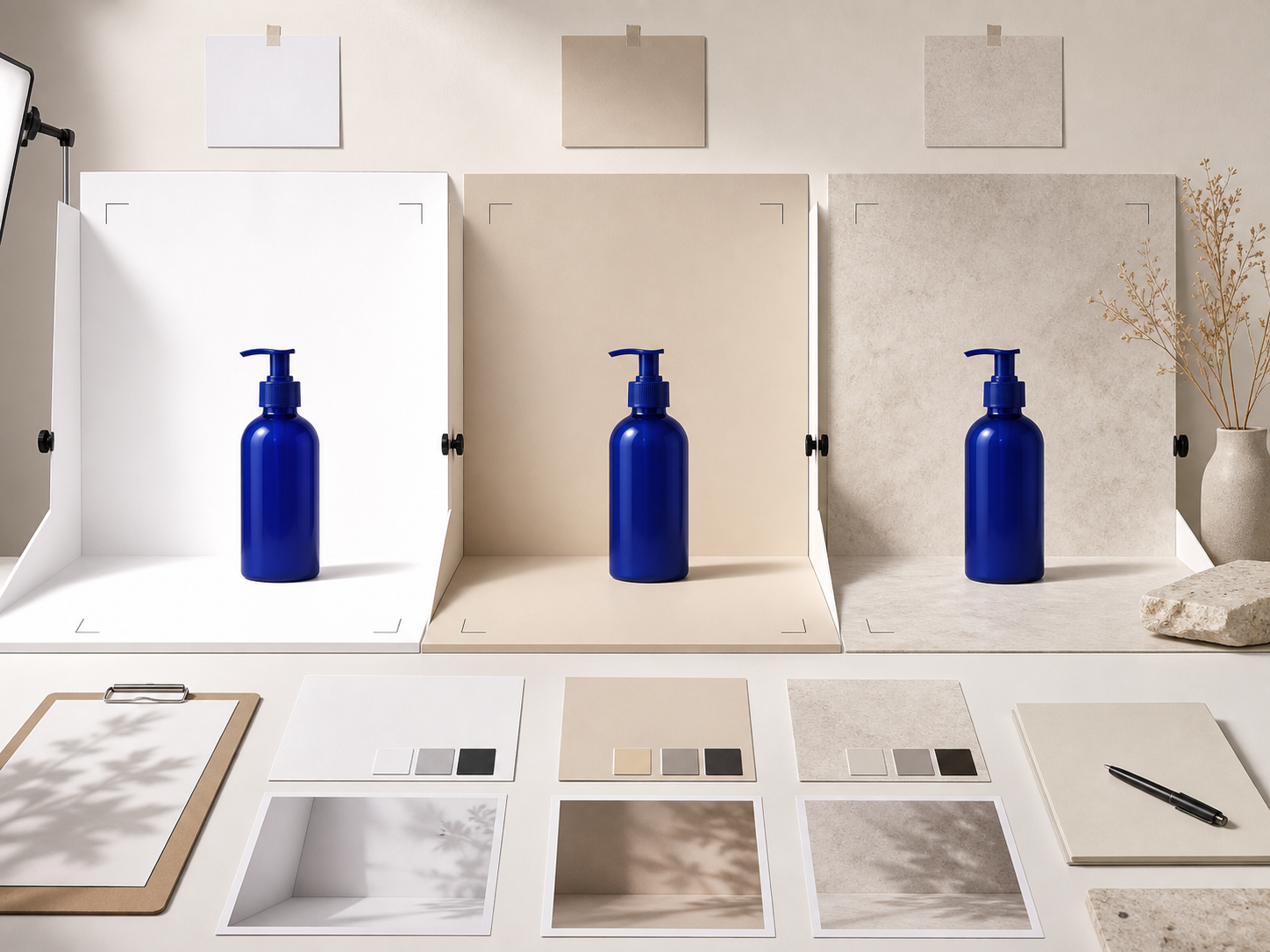
The cover is an original workflow illustration. It is not a merchant catalog, Genflow interface, marketplace approval or product benchmark. The generic bottle is a visual metaphor, not a real SKU or claimed model output. No conversion, return-rate, time or cost result is claimed.
Approve the family, then the file
A production-ready background system answers two questions: does each file preserve the real product, and does the group behave like one intentional catalog family? If either answer is uncertain, hold the affected output and resolve the card or exception before release.
Turn this method into a reusable workflow
Start from one product asset, ad concept, or template and save repeatable production steps as a Genflow workflow.