Editorial owner: Genflow Editorial · report a factual correction
Research references checked: September 6, 2026
The useful unit for AI product photography cost is not one generation or one subscription. It is one approved image for the correct SKU, image role, and destination. Calculate total project spend—including source capture, setup, generation attempts, review, retouching, rejected work, tools, and delivery—then divide by the assets that passed the agreed acceptance gate.
This guide provides a planning model, not a market-price claim or savings promise. Use your own rates, invoices, credit rules, labor time, acceptance history, and destination requirements. Vendor pricing and channel rules change; verify them on the day you budget.
Define “approved” before entering a number
An exported file is not necessarily a deliverable. Write an acceptance definition for each image role.
The image represents the exact SKU and variant.
Locked product facts match the approved references.
The named buyer question is answered.
The final crop preserves the required detail.
The destination's current technical and content rules are met.
Claims, rights, disclosures, and included items are approved.
The file is attached to the correct asset and delivery records.
The current Google Merchant Center rules for image_link illustrate why this matters: an image must accurately display the product and satisfy destination-specific size and content rules. Google has announced a 500 × 500 minimum beginning January 31, 2027, while recommending larger assets for listing formats. That is a dated platform requirement, not a universal definition for every storefront or marketplace.
Use the AI product photography brief to define product truth and shot rows first. A cost model built on an undefined output count will look precise while comparing different scopes.
Build the Approved Image Cost Sheet
Use five linked ledgers.
1. Scope ledger
Create one row for each required deliverable.
| Field | Example |
|---|---|
| Deliverable ID | SKU104-PDP-HERO-01 |
| SKU / variant | exact sellable item |
| Image role | hero, detail, scale, use, bundle, campaign |
| Destination | storefront, feed, marketplace, ad placement |
| Acceptance owner | named product or channel owner |
| Status | planned, in production, accepted, blocked |
Count deliverables, not “images we hope to make.” If the scope is 20 SKUs with four required roles each, the planned denominator is 80 accepted assets. Exploratory candidates do not increase the denominator.
2. Attempt ledger
Record what happened to every generated or captured candidate.
Attempt ID:
Deliverable ID:
Method: conventional capture / AI-assisted / hybrid
Model or production setup:
External spend:
Generation or capture time:
Review result:
Reject reason:
Repair path:
Final accepted asset ID, if any:
The acceptance rate is:
accepted assets ÷ total candidates reviewed
If 40 candidates produce 10 accepted assets, the observed acceptance rate is 25%. Do not report that number as model accuracy; it belongs to this scope, brief, review standard, team, and workflow version.
3. Labor ledger
Track hours even when the work is performed internally.
| Labor category | What belongs here |
|---|---|
| Scope and brief | product truth, shot plan, references, destination rules |
| Workflow setup | source preparation, prompts, model/settings, reusable logic |
| Production supervision | running attempts, triage, retries, file handling |
| Product review | SKU, packaging, color, material, quantity, included parts |
| Creative review | composition, lighting, consistency, brand rules |
| Claims / rights review | permissions, disclosures, regulated or promotional statements |
| Retouching | inpainting, compositing, type, crop, color, cleanup |
| Delivery | naming, export, feed/PDP mapping, archive, release record |
Convert hours to cost using the team’s loaded rate or an agreed planning rate. If the rate excludes payroll overhead, agency management, or contractor fees, label that limitation.
4. Shared-cost ledger
Allocate costs that serve more than one asset.
- subscriptions and usage credits;
- source photography, scanning, or sample logistics;
- reusable workflow setup;
- approved reference creation;
- equipment and studio allocation for hybrid work;
- storage, transfer, and project management;
- onboarding or specialist review.
Choose an allocation rule before comparing methods: per project, per SKU, per accepted asset, or by measured usage. Do not charge the entire annual subscription to a small pilot while treating conventional equipment as free—or do the reverse.
5. Confidence ledger
Build three scenarios with your own observed or pilot assumptions.
| Scenario | Acceptance rate | Review / repair time | Purpose |
|---|---|---|---|
| Base | current measured value | current measured value | normal planning case |
| Guarded | lower than base | higher than base | product or scene complexity |
| Stress | lowest credible value | highest credible value | budget ceiling and stop rule |
The uncertainty band is more useful than a single polished number. A workflow that looks inexpensive at a 70% acceptance assumption may not survive a 20% pilot result.
Use the complete formula
Total production cost =
  source and sample cost
+ scope and setup labor
+ capture or generation spend
+ production supervision labor
+ review labor
+ repair and retouching labor
+ shared tool allocation
+ storage, delivery, and project overhead
+ external reshoot or specialist cost

Cost per approved image =
  total production cost ÷ accepted images

Cost per completed SKU =
  total production cost ÷ SKUs with every required role accepted
Also record:
Attempts per approved image = reviewed candidates ÷ accepted images
Repair rate = repaired candidates ÷ reviewed candidates
Completion rate = fully completed SKUs ÷ SKUs in scope
Do not divide by generated candidates. A method that creates 1,000 cheap drafts and 20 usable images has not produced 1,000 deliverables.
Shopify’s current product photography pricing guide describes how product type, equipment, experience, turnaround, and pricing model change conventional costs. Those variables still matter when comparing an AI-assisted method: the work may move from capture into source preparation, supervision, review, and repair rather than disappear.
A fictional worked example
The numbers below demonstrate the worksheet only. They are not Genflow pricing, market averages, or predicted savings.
Suppose a pilot includes 12 SKUs and three image roles per SKU: 36 accepted deliverables. The team enters:
Source preparation and references: 420 planning units
Workflow setup: 300
Generation and external tools: 260
Producer time: 480
Product and creative review: 360
Retouching and delivery: 380
Total: 2,200 planning units
Accepted images: 36
Completed SKUs: 12
Then:
Cost per approved image = 2,200 ÷ 36 = 61.11 planning units
Cost per completed SKU = 2,200 ÷ 12 = 183.33 planning units
Now stress the acceptance rate. If the attempt plan assumed two candidates per deliverable but complex packaging requires four, generation spend, supervision, review, and repair may rise. Recalculate the affected rows; do not keep the original total and change only the denominator.
Use a real currency only after every input is tied to an invoice, rate, or documented planning assumption. Keep taxes, one-time setup, recurring tools, and refundable or unused credits in separate fields.
Compare conventional, AI-assisted, and hybrid work fairly
Run all three methods through the same scope and acceptance definition.
| Cost driver | Conventional | AI-assisted | Hybrid |
|---|---|---|---|
| Product/sample logistics | often central | still needed for reliable references | targeted to sensitive roles |
| Equipment/studio/talent | scope-dependent | may move into source capture or be lower for some scenes | used where truth or detail demands it |
| Candidate creation | capture and selects | generations and retries | both |
| Product-truth review | required | required and often more granular | required |
| Retouching/compositing | scope-dependent | scope-dependent | scope-dependent |
| Reusable setup | lighting and shot standards | workflow, prompt, references, settings | combined standards |
| Failure cost | reshoot, missed setup, unusable captures | rejected generations, repair, hallucinated details | whichever method failed the role |
Do not ask which method is cheapest in the abstract. Ask which method completes the defined asset set inside the required truth, quality, time, rights, and channel constraints.
A recent independent Photoroom review shows why credits alone are insufficient: different actions can consume different credits, resolution affects usage, retries occur, and the reviewer’s time remains real. Use current vendor documentation for the actual tools in your pilot rather than transferring another reviewer’s observations into your budget.
Set pilot stop rules
Before production, define when to pause or route a shot to conventional capture.
Maximum candidates reviewed per deliverable:
Maximum repair minutes per candidate:
Product facts that may not be reconstructed:
Image roles that require real capture:
Acceptance-rate floor for continuing the pilot:
Budget ceiling by SKU and by approved asset:
Owner who can change scope:
If a transparent package, reflective surface, fine jewelry detail, regulated label, or included accessory cannot pass the product-truth gate, additional cheap attempts may be the most expensive choice. Route that row to a different method and preserve the failed-attempt cost in the comparison.
Keep production cost separate from business impact
An approved image can still underperform. Do not subtract hypothetical conversion lift from production cost.
Maintain two records:
- production economics: cost per approved image and completed SKU;
- observed outcome: channel experiment, traffic, conversion, returns, complaints, and revenue after enough time and sample.
Use the controlled AI video ad testing plan as a general pattern for separating a production change from an outcome claim. The metric and experiment design will differ for product images, but the causal discipline is the same.
How to use the sheet with Genflow
Genflow supports reusable creative workflows. Treat a saved workflow version as one production method in the attempt ledger: record its source references, model/settings, output IDs, external usage cost, supervision time, and review result. Reuse may reduce repeated setup in your own observed process, but measure that change rather than assuming it.
This article does not represent the ledgers as built-in Genflow fields. Store the financial and acceptance record in the team’s spreadsheet, finance system, project tool, or DAM, then connect each accepted Genflow output to its deliverable ID.
Research and preparation notes
Genflow Editorial examined ten current commerce, platform, studio-pricing, equipment, and AI-workflow references; checked the nearest exact-intent competitor for overlap; and built the five-ledger Approved Image Cost Sheet independently. Automated tools helped organize evidence, shape the draft, and create the conceptual cover illustration.
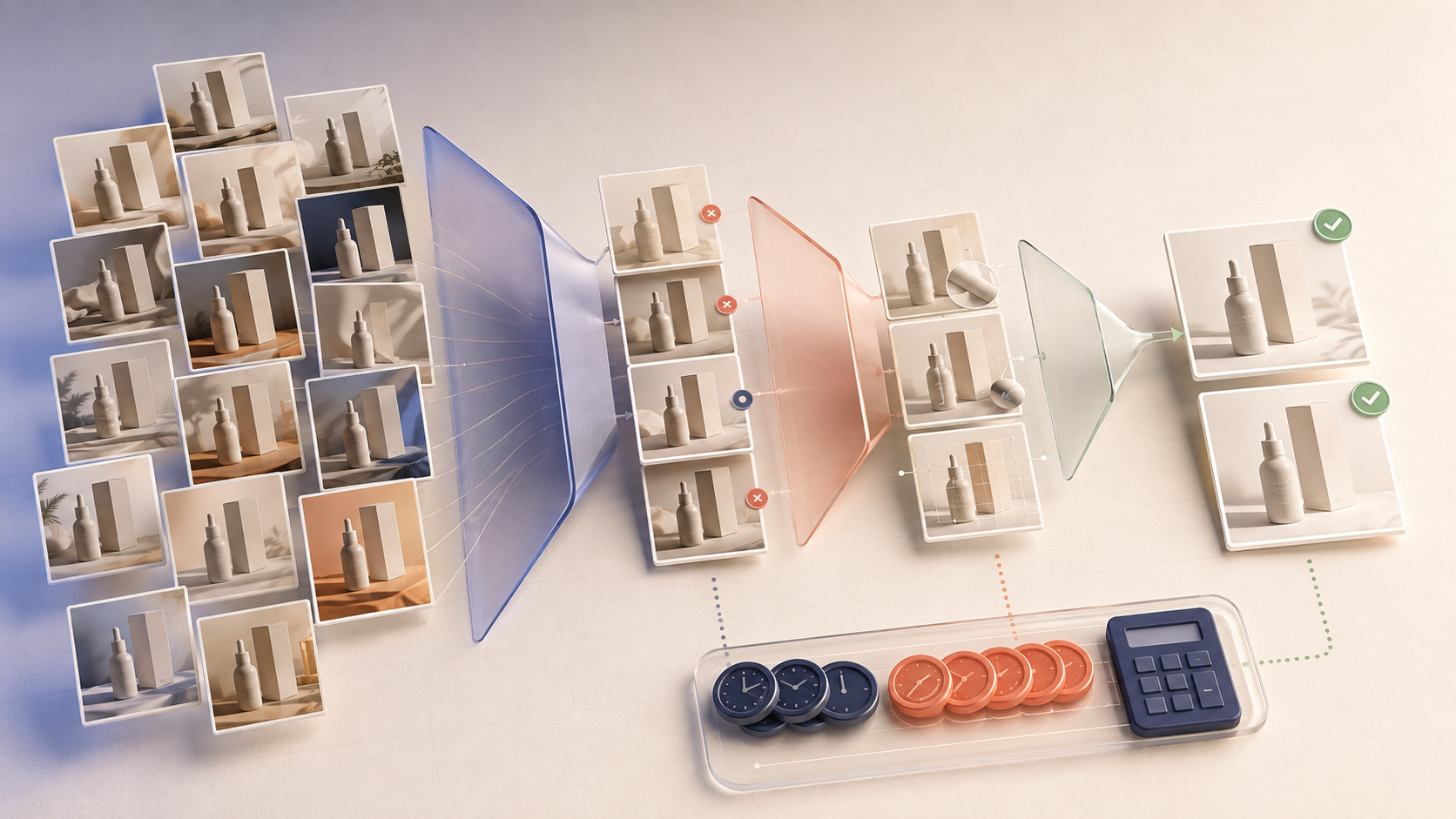
The cover visualizes attempts narrowing into accepted assets. It is not a Genflow interface, pricing result, benchmark, customer workflow, or proof of savings. No universal cost, acceptance rate, conversion lift, or ROI is claimed.
Budget the asset that can ship
For the next pilot, define the SKU × role × destination scope, log every attempt and labor step, allocate shared costs consistently, and calculate three acceptance scenarios. The right comparison begins only when every method is charged for the same approved deliverable.
Turn this method into a reusable workflow
Start from one product asset, ad concept, or template and save repeatable production steps as a Genflow workflow.