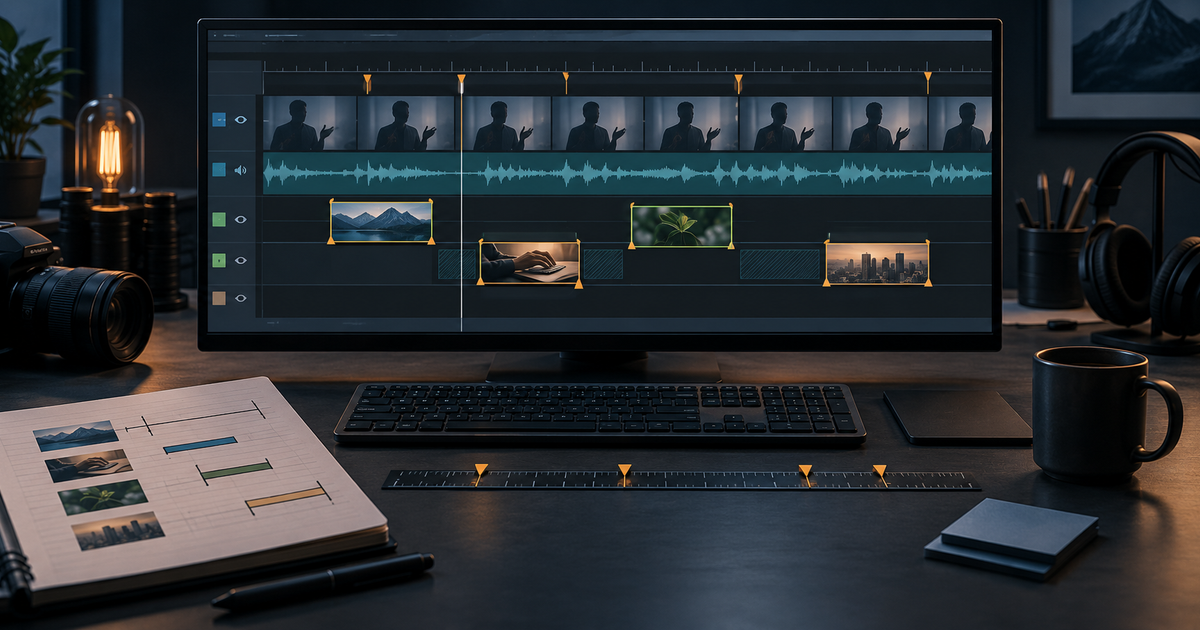
A talking-head edit is already on the timeline. The speaker has made the point, paused, corrected a phrase, and looked into the lens for the conclusion. Where can B-roll go without covering the very moment that gives the sentence its meaning?
That is a timing problem before it is a generation problem. A transcript can suggest useful pictures, but its source timestamps do not tell an editor where those words land after pauses and retakes have been removed. A clip can be visually appropriate and still enter on a qualifier, leave during a crucial gesture, or run out of usable frames before the speaker finishes.
This guide uses a Beat-to-Window Map for an already-recorded A-roll edit. Each row connects source speech to an edit window, protects moments that should remain on the speaker, and checks candidate duration. It is an external worksheet, not a Genflow transcript or timeline feature.
Genflow Editorial prepared this article with AI assistance and reviewed product claims and linked sources on October 7, 2026. Every person, recording, transcript, clip description, timecode, review decision, and project in the example is fictional. The map is a completed paper exercise; no clip was generated, footage was inspected, video was edited, or production result was measured for this article. The duration requirements illustrate planning arithmetic, not tested outputs or a benchmark.
Treat source time and edit time as different addresses
An A-roll source time identifies a moment in the original recording. An edit time identifies where that moment plays in a particular sequence. The two match only until the first trim. Once an editor removes a restart, silence, or unrelated answer, a source timestamp copied straight into an insert instruction points to the wrong place.
Keep both addresses. Adobe's Source and Program Monitor documentation distinguishes the individual source clip from the assembled sequence; its monitor overlay guidance lists source and sequence timecodes separately. The Beat-to-Window Map is editor independent, but that distinction is the foundation of its timing fields.
At a steady playback rate, a retained source section maps to the edit by an offset. If source 00:18.000–00:30.000 occupies edit 00:11.000–00:23.000, then source 00:22.200 occurs at edit 00:15.200. This arithmetic is useful for a first pass. Verify the boundary in the actual sequence: speed changes, nested edits, added pauses, and later trims can break a simple offset.
Record the sequence version and frame rate before marking windows. The example uses elapsed minutes:seconds.milliseconds at 25 frames per second, with each out point exclusive. Its decimal values fall on frames. Frame timecode works too if the sequence rate and convention are stated.
Find the moments that should remain on the speaker
Read the corrected transcript while listening to the A-roll, then watch the picture. Mark words that change the scope of a statement: “in this example,” “may,” “only,” “we observed,” “not yet,” or a number's conditions. Mark meaningful breaths and pauses too. A pause after “this is possible” can signal uncertainty; covering it with a triumphant visual may make the statement sound stronger than the speaker intended.
Next, mark moments that carry authority or emotion: a direct answer, correction, expression, gesture, reveal, or final invitation. These are return anchors. The cutaway must end before the anchor, even if the B-roll has attractive seconds left.
Choose an insert window only after marking both its start and its exit. A helpful cutaway may start as the speaker introduces an object and end before the words that limit the claim. If that leaves a very short window, use a still, a simple graphic, or A-roll. The goal is not to satisfy a quota of visual changes.
For product or performance claims, first decide what footage is allowed to imply. The existing Proof–Shot Matrix owns that substantiation task. This timing guide assumes the visual route has already been checked there; it does not create a second claim-evidence register. A precisely timed generated shot cannot prove a real interface state, customer result, or physical behavior.
Use a Beat-to-Window Map
Make one row per proposed insert, plus short notes for protected A-roll spans. The map describes the edit decision, not the asset's entire history.
| Field | Record this decision |
|---|---|
| Sequence and transcript revision | Which edited A-roll and checked wording the timing applies to |
| Spoken beat | Exact words or a short quotation, with source recording ID and source in/out |
| Edit window | Sequence in/out for video coverage; state whether A-roll audio continues |
| Entry and return anchors | The audible or visible cues for cutting away and coming back |
| Protected span | Qualifier, pause, expression, gesture, or answer that must remain on A-roll |
| Candidate and usable range | A planned or registered visual ID, its actual usable in/out once inspected, and the proposed trim |
| Fit and review | Needed duration, available duration and handles, status, editor, timing reviewer, and reason |
If a generated clip has not been made, label it planned and leave its actual usable range blank. After it exists, link its registered identity. The AI video asset-versioning guide covers filenames, inputs, receipts, and delivery lineage. The map needs only a candidate reference and timing decision.
Runway's AI B-roll overview describes both AI-selected stock and AI-generated cutaways. Either can supply a candidate for an insert window. The timing tests here apply equally to filmed, existing, stock, or generated media; choosing a source does not settle where it should appear.
A completed timing example on paper
Imagine a 46-second educational talking-head video. An invented presenter describes how she sorts ideas for a workshop. There is no real customer, product, software interface, or workshop result behind this scenario. The fictional raw A-roll is MAP-A01, and the corrected transcript is MAP-T01-r1. The editor plans a 25 fps sequence named MAP-E01-r1; A-roll speech remains audible under every video cutaway.
The assembly removes three pauses and restarts. This is the entire source-to-edit bridge for the paper example:
| Retained A-roll section | Source in–out on MAP-A01 | Edit in–out on MAP-E01-r1 | Spoken content |
|---|---|---|---|
| 1 | 00:04.000–00:15.000 | 00:00.000–00:11.000 | “When a brief feels crowded, I start by finding the one question the video should answer.” |
| 2 | 00:18.000–00:30.000 | 00:11.000–00:23.000 | “For this teaching example, three blank cards stand for ideas, sources, and decisions. They are placeholders, not a real customer workflow.” |
| 3 | 00:34.000–00:49.000 | 00:23.000–00:38.000 | “I move one question forward, leave the other two visible, and stop when the next step is clear.” |
| 4 | 00:52.000–01:00.000 | 00:38.000–00:46.000 | “A useful cutaway points back to a choice the speaker can explain.” |
In section 2, the speaker says “For this teaching example” at edit 00:11.000–00:15.200, describes the three cards at 00:15.200–00:19.200, then says “They are placeholders, not a real customer workflow” at 00:19.200–00:23.000. The editor protects the first and final portions on A-roll. An insert about the cards fits only in the middle four seconds. Showing a fictional dashboard during the qualifier would imply that a real workflow exists even if the voice says otherwise.
The completed map makes three proposed video cuts and one rejected decision visible. No candidate footage exists. Every accepted-looking row remains planned, so it records a window requirement and leaves actual usable range, trim, and handles blank until media is inspected.
| Decision | Source speech covered → edit window | Planned visual and required duration | Entry / return | Paper status |
|---|---|---|---|---|
BW-01 | MAP-A01 00:06.000–00:10.000 → MAP-E01-r1 00:02.000–00:06.000 | VIS-01, generic note surface; 4.0 s of inspected usable motion required; actual usable range, trim, and handles blank | Enter after “brief feels crowded”; return before “one question” and the presenter's direct look | Planned; requires media review; A-roll is the fallback |
BW-02 | MAP-A01 00:22.200–00:26.200 → MAP-E01-r1 00:15.200–00:19.200 | VIS-02, abstract blank-card motion; 4.0 s of inspected usable motion required; actual usable range, trim, and handles blank | Enter on “three blank cards”; return exactly before “They are placeholders” | Planned; illustrative concept only; requires media review |
BW-03 | MAP-A01 00:37.200–00:41.200 → MAP-E01-r1 00:26.200–00:30.200 | VIS-03, hands arranging unmarked cards; 4.0 s of inspected usable motion required; actual usable range, trim, and handles blank | Enter as “leave the other two visible” begins; return for “and stop when the next step is clear” | Planned; protected pause remains on A-roll; requires media review |
BW-02a | MAP-A01 00:25.800–00:29.800 → MAP-E01-r1 00:18.800–00:22.800 | Earlier storyboard idea: invented dashboard graphic; no clip made | Would enter late in the card description and stay over “not a real customer workflow” | Rejected and superseded by BW-02: it covers the qualifier and suggests a real interface |
Check the mapping: section 2 begins at source 18 seconds but edit 11 seconds. Subtract seven from source 00:22.200–00:26.200 to get edit 00:15.200–00:19.200. Section 3 has an eleven-second difference, placing BW-03 at 00:26.200–00:30.200. BW-02a used correct arithmetic but covered the wrong words.
On paper, the editor marks BW-01, BW-02, and BW-03 as windows that may accept a hard-cut candidate after media review. A fictional timing reviewer named Mira checks only the transcript spans and entry/return logic for sequence revision MAP-E01-r1; she records that BW-02a is rejected. This is a completed planning decision, not a fit observation, edit acceptance, or release approval. Actual media review could reject every planned visual, and the final export would require its own review.
Check duration against the window, then check handles
The window duration is fixed by the words and the return anchor. In the example, BW-02 has exactly four seconds available between the start of “three blank cards” and the start of “They are placeholders.” A candidate with only 3.2 seconds of usable motion does not become a four-second candidate because its file is five seconds long. Inspect the action after discarding unstable opening frames, repeated endings, unreadable text, or other unusable material. If the usable span is short, choose another visual, revise the treatment, or stay on A-roll; do not silently cover the qualifier.
For a hard cut, an inspected four-second usable span can fit a four-second window without a dissolve. Extra footage on either side can provide room to move the in or out point during review. At 25 fps, four seconds is 100 frames. If a future inspected candidate has exactly 125 usable frames, the spare 25 frames cannot split into equal half-second margins: one valid example is 12 frames (0.48 s) before the selection and 13 frames (0.52 s) after it. That is frame arithmetic, not a claim about any clip in this example. If the edit needs a transition, calculate the additional frames it requires on both participating clips. Adobe's current clip-handle explanation defines handles as media outside a selected in/out range and warns that insufficient media can cause repeated frames in a transition.
Also check the point of action, not just elapsed seconds. If an illustrative card finishes moving at second 2.8, holding its last pose until second 4 may make the speaker's sentence feel late. Shift the candidate's trim only while preserving the entry and return anchors. If its best moment cannot align with the phrase, the window has exposed a creative mismatch before the team spends time refining the wrong clip.
Reopen the map when the words or cut change
A timing row is valid for one transcript revision and one sequence revision. Suppose the presenter replaces “They are placeholders, not a real customer workflow” with “These cards represent a tested customer process.” BW-02 is stale even if the new audio is exactly the same length: the card visual now appears next to a different factual claim. Send that statement through the Proof–Shot Matrix before choosing a visual route, then mark a new window.
A smaller edit can also invalidate timing. If the editor removes a 12-frame pause—0.48 seconds at 25 fps—before the card phrase, the mapped edit in point may shift while the source in point stays the same. A pickup recording changes the source identity altogether. A speed adjustment changes the mapping inside a retained section. Record needs remap for every window intersecting the changed speech and for later windows shifted by the new assembly. Recheck captions and on-screen text against the revised sequence as part of normal edit review.
Do not overwrite the old row. Preserve BW-02a and the reason it failed; mark BW-02 as the proposed successor for MAP-E01-r1. If a new sequence is MAP-E01-r2, copy or regenerate the timing rows for that revision and verify them there. The asset-versioning owner explains how to preserve the media lineage; this map preserves why a particular visual was placed over particular words.
Copy the working template into your edit notes
The following compact template can live in a spreadsheet, script document, or sequence marker comment. Fill the timing fields from the edited sequence, then let the editor and reviewer check the exact cut. Candidate may be A-roll only.
PROJECT / DELIVERY:
A-ROLL SOURCE ID:
CHECKED TRANSCRIPT REVISION:
SEQUENCE ID / REVISION / FRAME RATE / TIMECODE CONVENTION:

BEAT ID AND EXACT WORDS:
SOURCE SPEECH IN–OUT:
EDIT WINDOW IN–OUT (OUT EXCLUSIVE):
A-ROLL AUDIO CONTINUES? yes / no
ENTRY CUE:
RETURN CUE:
PROTECTED WORD, PAUSE, GESTURE, OR EXPRESSION:

CANDIDATE ID OR “PLANNED”:
VISUAL JOB AND ALLOWED SOURCE ROUTE:
ACTUAL USABLE RANGE (BLANK UNTIL INSPECTED):
PROPOSED CANDIDATE IN–OUT:
WINDOW DURATION / USABLE DURATION / EXTRA FRAMES:
HARD CUT OR TRANSITION, WITH REQUIRED HANDLES:

EDITOR / TIMING REVIEWER:
STATUS: proposed | needs media review | accepted for edit | rejected | needs remap
REASON / SUPERSEDES:
NEXT REVIEW TRIGGER:
For generated illustrative footage, Genflow's AI video generator can keep prompts, references, model choices, output checkpoints, and review context in a reusable production workflow. Its image-to-video tool can package a source image with motion direction and reusable shot logic. Link an actual output to the candidate field after generation and inspection. Genflow's published workflow descriptions do not establish automatic transcription, source-to-sequence mapping, B-roll insertion, timeline editing, stock licensing, factual verification, or release approval. Those remain editorial and editing tasks.
Start with the next talking-head edit you already have. Mark one return anchor, translate its neighboring source speech into an edit window, and see whether the proposed shot has enough genuinely usable frames. Keep the speaker visible when the visual has no clear job. If the timing method or a Genflow product statement needs correction, contact Genflow support.
Turn this method into a reusable workflow
Start from one product asset, ad concept, or template and save repeatable production steps as a Genflow workflow.