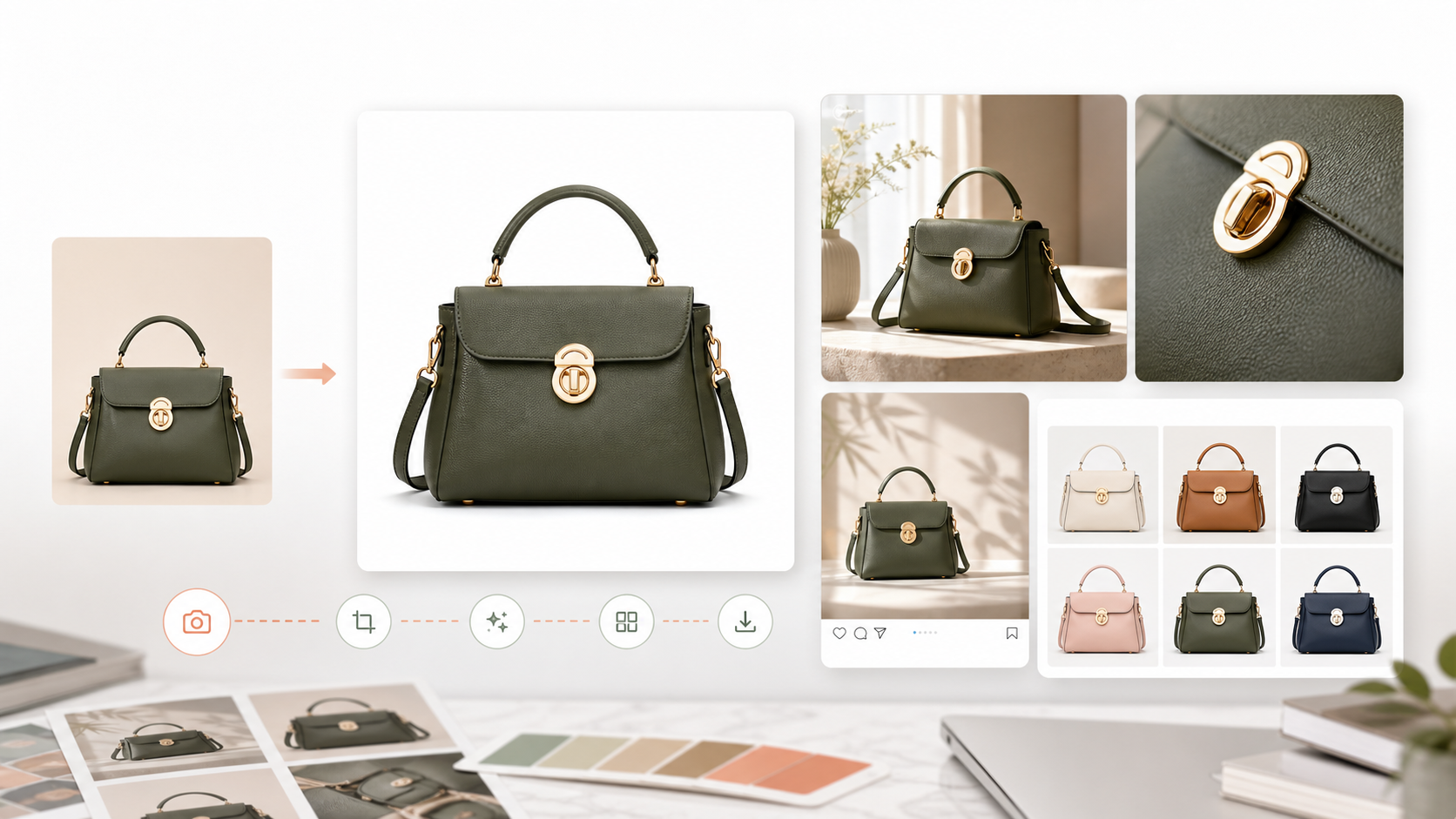
An AI product photography workflow helps ecommerce teams turn a single product image into a repeatable set of listing visuals, lifestyle shots, detail images, and ad creatives. The goal is not simply to create one attractive image. The goal is to create a consistent production system for many products.
For a practical starting point, explore AI Product Visuals for Ecommerce and browse product image AI workflow templates.
Quick Answer
An AI product photography workflow is a repeatable process for generating ecommerce product images from product references and brand rules.
A practical workflow may include:
- Product image upload
- Background selection
- PDP image generation
- Lifestyle scene generation
- Detail close-up generation
- Social ad crop
- Marketplace or storefront export
- Reuse across new SKUs
Why Ecommerce Teams Need Product Photography Workflows
Ecommerce product visuals are not one image. A product page, ad campaign, or marketplace listing often needs a complete image set.
For one product, the team may need:
- White-background listing image
- Lifestyle image
- On-model image
- Detail close-up
- Benefit image
- Social ad visual
- Seasonal campaign version
- Marketplace-specific format
If every image requires a new prompt and manual setup, production becomes inconsistent. A workflow makes the process repeatable.
AI Product Photography vs AI Image Generation
AI image generation is broad. It can create concepts, illustrations, campaign art, or visual experiments.
AI product photography is narrower and more operational. It needs to preserve product identity while creating commercial-ready visuals.
That means an ecommerce workflow should care about:
- Product accuracy
- Category norms
- Background consistency
- Brand fit
- Output format
- Repeatability
- SKU-level reuse
This is why teams comparing visual generation tools should also review GenflowAI vs Midjourney. Midjourney is strong for exploration, while GenflowAI focuses on repeatable ecommerce product image workflows.
Best Images to Generate First
Start with the image types that directly support ecommerce conversion.
The first workflow should usually include:
- PDP white-background image
- Product lifestyle image
- Detail close-up
- Scale or usage image
- Social ad variant
This sequence gives the team a practical image set that can be used across product pages, ads, email, and social content.
Example Workflow
Imagine a brand selling a luxury watch.
The team can upload one product image and create:
- Clean PDP image
- Wrist lifestyle shot
- Macro detail shot
- Premium studio ad visual
- Square social crop
- Vertical story ad visual
The workflow can then be reused for the next watch, jewelry item, or accessory.
For ecommerce teams, the advantage is repeatability: GenflowAI helps turn product image generation into a reusable workflow rather than a one-off output.
How Templates Help
Templates make AI product photography easier because they reduce setup time.
Instead of building each prompt from scratch, a team can start from a template that already reflects a specific output type:
- White-background product image
- Lifestyle scene
- Premium studio visual
- Macro detail
- Ecommerce ad image
- Seasonal campaign visual
Teams can explore product image AI workflow templates and ecommerce AI workflow templates for practical starting points.
How GenflowAI Fits
GenflowAI acts as the workflow layer for ecommerce product visuals, helping teams convert product references into repeatable image workflows for listings, lifestyle scenes, detail visuals, and campaign assets. This approach reduces repeated setup and keeps output more consistent across products.
FAQ
What is an AI product photography workflow?
It is a repeatable process for turning product images and brand rules into ecommerce-ready visuals such as PDP images, lifestyle shots, detail close-ups, and ad creatives.
Is AI product photography useful for ecommerce?
Yes. Ecommerce teams can use AI product photography workflows to create more image variants across product pages, marketplaces, social ads, and campaigns.
What is the difference between AI product photography and AI image generation?
AI image generation is broad. AI product photography focuses on product accuracy, commercial formats, and repeatable ecommerce outputs.
Can I reuse the same workflow across products?
Yes. That is the main advantage of a workflow-based approach. Once the process works, teams can swap in new product assets and reuse the structure.
Where should I start in GenflowAI?
Start with AI Product Visuals for Ecommerce, then explore product image AI workflow templates.
Turn this method into a reusable workflow
Start from one product asset, ad concept, or template and save repeatable production steps as a Genflow workflow.