Template preview
Black Lace Lingerie Fashion Studio
A composed preview surface for this reusable workflow.
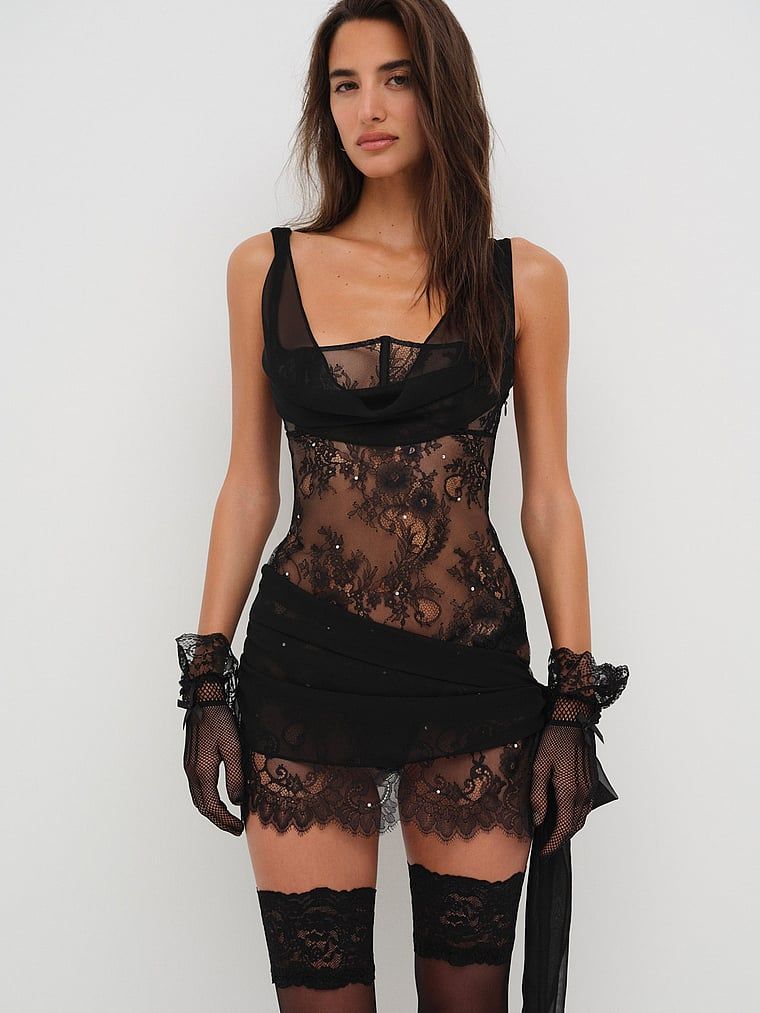
Black Lace Lingerie Fashion Studio Choose Product Swap mode to place your lingerie directly into the reference image while preserving the original composition, styling, lighting, and overall advertising aesthetic. This mode is faster and typically generates results in around 20 seconds. Choose Style Recreate mode to use the cover image as inspiration for its style and composition, then create a new high-quality creative design tailored to your lingerie. The model pose, scene, styling, and visual balance will be intelligently redesigned to best showcase your product while maintaining the artistic direction of the reference image. This mode takes longer to generate, typically around 50 seconds.
The template keeps example inputs, prompt structure, model choices, and preview direction together so you can start from a reusable workflow.
Template focus
Black Lace Lingerie Fashion Studio is built around this specific job: Black Lace Lingerie Fashion Studio Choose Product Swap mode to place your lingerie directly into the reference image while preserving the original composition, styling, lighting, and overall advertising aesthetic. This mode is faster and typically generates results in around 20 seconds. Choose Style Recreate mode to use the cover image as inspiration for its style and composition, then create a new high-quality creative design tailored to your lingerie. The model pose, scene, styling, and visual balance will be intelligently redesigned to best showcase your product while maintaining the artistic direction of the reference image. This mode takes longer to generate, typically around 50 seconds.
Relevant directions: Lingerie / sensual-intimate / glamorous-night / elegant-feminine.
Use the preview, tags, and workflow notes to see whether this template matches a repeatable creative job.
Preview the direction
Check the visual style and output promise for Black Lace Lingerie Fashion Studio before you open the workflow.
Reuse the structure
Start from saved prompts, model choices, and output settings instead of a blank canvas.
Swap the inputs
Replace the reference, product, or character while keeping the production path intact.
This workflow helps visitors judge the fit quickly: what to bring, what stays reusable, and how it changes for the next asset or campaign.
Add the character, product detail, prompt, or source asset that Black Lace Lingerie Fashion Studio should transform.
Use the saved Black Lace Lingerie Fashion Studio prompt flow as a starting point instead of rebuilding model choices and steps.
Reuse the same Black Lace Lingerie Fashion Studio setup for the next asset, campaign, or character while keeping the output style consistent.
Use these related pages to compare the template, understand the use case, and move into the right production workflow.
Use case
See how video templates become reusable campaign production systems.
Compare
Compare one-click ad generation with reusable campaign workflows.
Template topic
Browse related Genflow Marketplace templates in the same topic cluster.
Field note
Read how short-form creative moves from one-off outputs to reusable systems.
Practical details for deciding whether this workflow fits your next product visual, campaign asset, or character video.
Black Lace Lingerie Fashion Studio Choose Product Swap mode to place your lingerie directly into the reference image while preserving the original composition, styling, lighting, and overall advertising aesthetic. This mode is faster and typically generates results in around 20 seconds. Choose Style Recreate mode to use the cover image as inspiration for its style and composition, then create a new high-quality creative design tailored to your lingerie. The model pose, scene, styling, and visual balance will be intelligently redesigned to best showcase your product while maintaining the artistic direction of the reference image. This mode takes longer to generate, typically around 50 seconds.
Start with the assets, prompts, product details, or references that match the workflow. You can replace the example inputs after opening the template in Genflow Studio.
Yes. Genflow templates are designed to be copied into Studio, where you can adjust prompts, inputs, model steps, and output settings for your own production needs.
Yes. The template preserves a reusable creative process, so teams can run similar tasks again without rebuilding the workflow from scratch.
Check the preview media, description, tags, and whether the workflow matches a repeatable creative job such as product visuals, campaign assets, video ads, or editing automation.
Last updated Jul 1, 2026. Use the template as a starting point, replace the assets, and keep the creative direction consistent across the next run.