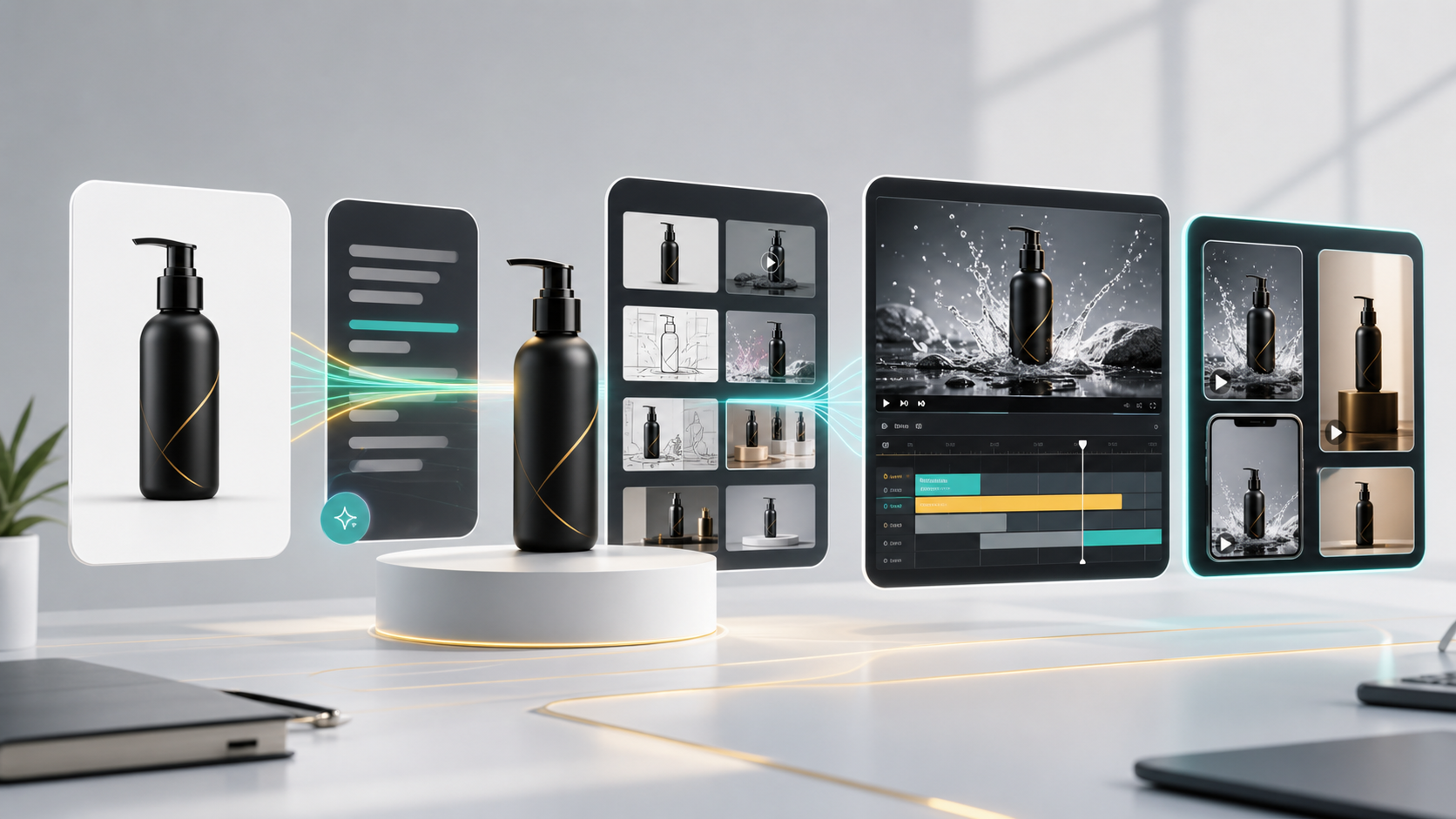
An AI video ad generator helps marketing teams turn product inputs into campaign-ready video creative. The strongest workflow starts with a product image and turns it into a structured ad system: hooks, scripts, storyboards, short videos, social crops, and reusable variants for testing.
For ecommerce and commercial teams, the challenge is not making one video. The challenge is building a repeatable creative process that can support many products, many campaigns, and many audience angles without restarting from scratch.
GenflowAI's AI Video Ads and Campaign Creative page is the main use-case hub for teams building repeatable product video and campaign creative workflows.
That is why an AI video ad workflow is more useful than a single video prompt.
What an AI Video Ad Generator Actually Needs to Do
A useful AI video ad generator should support the full campaign process. It should not only generate visuals. It should help teams move from product positioning to finished creative.
A complete workflow can include:
- Product input
- Audience and offer definition
- Hook generation
- Scriptwriting
- Storyboard creation
- Visual scene planning
- Video generation
- Format adaptation
- Creative variant testing
- Review and reuse
When these steps are connected, AI becomes a production system instead of a one-off experiment.
Why Product Videos Need Workflow Structure
Product video ads usually fail for one of three reasons.
First, the creative has no clear angle. It shows the product but does not explain why the buyer should care.
Second, the video format does not match the platform. A polished 16:9 brand video may not work as a 9:16 TikTok ad. A UGC-style video may not work as a homepage hero asset.
Third, the team cannot test enough variations. One ad rarely reveals the winning message. Marketers need many hooks, scripts, cuts, and CTAs.
Workflow structure solves these problems by turning video creation into a repeatable sequence.
Step 1: Start with Product Inputs
Every good AI video ad workflow starts with clear product information:
- Product name
- Product photo or visual reference
- Product category
- Key benefits
- Audience
- Price or offer
- Brand tone
- Channel
- Required aspect ratio
The product image gives the workflow a visual anchor. The product description gives the workflow messaging logic.
Step 2: Generate Multiple Ad Angles
Before generating a video, teams should generate angles. Common ecommerce ad angles include:
- Problem-solution
- Before-after
- Product demo
- Founder explanation
- Lifestyle use case
- Comparison
- Gift idea
- Social proof
- Limited offer
Each angle can become its own video variant. This is important because the winning creative is often found through testing, not guessing.
Step 3: Build Scripts and Storyboards
The script gives the ad a message. The storyboard gives the ad a visual plan.
A practical AI workflow can produce:
- 3-second hooks
- 15-second ad scripts
- 30-second ad scripts
- Scene-by-scene storyboard
- Product shot list
- Caption ideas
- CTA options
For example, a product demo video might follow this structure:
- Hook: call out the problem
- Scene 1: show the product
- Scene 2: demonstrate the benefit
- Scene 3: show the use case
- Scene 4: close with CTA
This structure can then be reused for future products.
For teams still shaping the concept before generation, the Commercial Storyboard AI Generator can help turn product ideas and ad angles into scene-by-scene creative plans.
Step 4: Generate Campaign Creative
Once the message and storyboard are clear, the workflow can generate video assets for different campaign needs:
- TikTok ads
- Instagram Reels
- YouTube Shorts
- Shopify product videos
- Paid social creative
- Brand campaign videos
- Product launch teasers
- Landing page video sections
Different campaigns require different visual styles. A premium product may need a cinematic commercial workflow. A practical product may need a direct UGC workflow. A new product may need a short teaser or storyboard first.
Step 5: Create Variants for Testing
Ad performance usually depends on variation. A reusable workflow should make it easy to test:
- Hook variants
- First-frame variants
- Script variants
- Benefit order
- Creator style
- CTA
- Video length
- Platform format
The team can keep the product consistent while changing the marketing angle.
Where GenflowAI Fits
GenflowAI supports commercial AI workflows for video ads, product visuals, and campaign creative. Instead of creating one video from one prompt, teams can use templates and workflow logic to create repeatable video systems.
For video ads, this can include:
- UGC product video workflows
- Big-brand commercial ad workflows
- Commercial storyboard workflows
- Product image to campaign creative workflows
- Reusable campaign templates
This gives creative teams a way to scale output without losing structure.
When the goal is a more polished campaign asset, the Big-brand Commercial Ad Generator is a useful workflow to reference.
AI Video Ad Generator vs Traditional Ad Production
Traditional production is still valuable for high-stakes campaigns, brand shoots, and premium creative. AI video workflows are strongest when teams need speed, testing, and variation.
Use AI workflows when you need:
- Many ad variants
- Faster creative testing
- Product launch content
- Social-first videos
- Campaign concepting
- Storyboard exploration
- Lower production cost
Use traditional production when you need controlled filming, physical product demonstrations, legal approvals, or high-budget brand campaigns.
Many teams will use both.
FAQ
What is an AI video ad generator?
An AI video ad generator creates video ads from inputs such as product images, product descriptions, scripts, prompts, or templates. It can help teams produce social ads, product demos, storyboards, and campaign videos.
Can AI generate video ads from a product image?
Yes. A product image can be used as the visual reference for generating video concepts, product demos, UGC ads, and commercial-style campaign creative.
What is the best workflow for AI video ads?
Start with product inputs, generate ad angles, create scripts and storyboards, produce video variants, adapt formats, and reuse the workflow for future campaigns.
Are AI video ads good for ecommerce?
Yes. Ecommerce teams can use AI video workflows to create TikTok ads, Reels, Shopify product videos, paid social variants, and launch creative.
How should I test AI video ad variants?
Test different hooks, first frames, scripts, benefits, CTAs, and formats. Keep the product constant so you can identify which message performs best.
Turn this method into a reusable workflow
Start from one product asset, ad concept, or template and save repeatable production steps as a Genflow workflow.