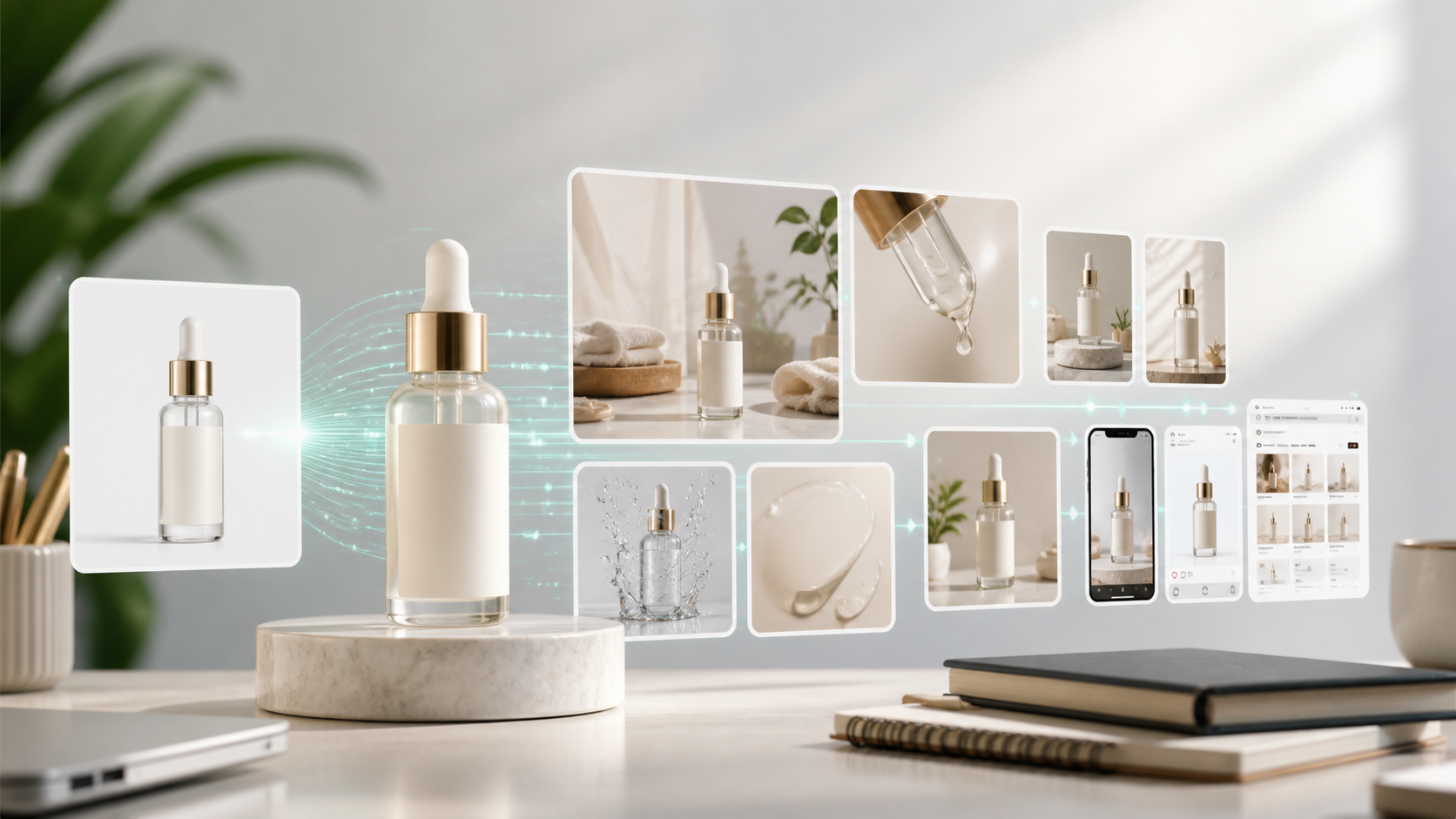
AI Product Photography Generator: From One Photo to a Full Listing Set
An AI product photography generator helps ecommerce teams turn a single product photo into a complete set of selling visuals: white-background images, lifestyle scenes, close-up detail shots, social crops, and ad-ready product images. The real value is not just creating one attractive image. It is building a repeatable product image workflow that can be reused across every SKU, campaign, and sales channel.
For ecommerce brands, product photography is one of the most expensive and repetitive parts of content production. Every new SKU needs clean catalog images. Every marketplace has its own format. Every campaign needs fresh lifestyle scenes. Every seasonal push asks for new angles, backgrounds, and variants. A single prompt-based image tool can help with one image, but it rarely solves the full production process.
For teams that want to build this as a repeatable system, GenflowAI's AI Product Visuals for Ecommerce page shows how product visuals can be structured into reusable commercial workflows.
That is where reusable AI workflows matter.
Why Ecommerce Product Photography Is Hard to Scale
Traditional product photography works well when a brand needs a few hero shots. It becomes difficult when the team needs hundreds of assets across Amazon, Shopify, TikTok Shop, Instagram, Etsy, ads, email, and landing pages.
Most teams run into the same problems:
- Product images need to stay accurate across many creative variations.
- White-background listing images must look clean and compliant.
- Lifestyle shots need to show the product in a believable use case.
- Detail images must highlight texture, size, materials, and benefits.
- Social and ad formats require different aspect ratios.
- Every new SKU restarts the process.
AI can reduce production time, but only if the workflow is structured. If every output depends on a new prompt, the team still loses time rewriting instructions, checking quality, and manually organizing final assets.
Teams can also start from existing product image AI workflow templates instead of rebuilding every product image process from a blank prompt.
What an AI Product Photography Workflow Should Include
A strong ecommerce product photography workflow should turn one product input into a structured set of outputs. Instead of generating random image ideas, the workflow should produce assets that match a commercial use case.
A practical workflow can include:
-
Product intake
Upload the original product image, product name, short description, target market, and brand style. -
Listing image generation
Create a clean main image and secondary product images for ecommerce product pages. -
Lifestyle scene generation
Place the product in realistic contexts that match the buyer's use case. -
Selling-point visuals
Create images that explain benefits, materials, size, packaging, or usage. -
Channel-specific crops
Generate versions for Shopify PDPs, Amazon modules, paid social ads, email banners, and short-form video thumbnails. -
Reuse logic
Save the creative structure so the same workflow can be applied to the next SKU.
This is the difference between an AI image generator and a production workflow.
Example: One Product Photo to a Listing Set
Imagine a seller has one clean image of a skincare bottle. A simple AI image generator might create a nice product shot. A reusable ecommerce workflow can create a full asset set:
- Main product image on a clean background
- Lifestyle bathroom counter scene
- Ingredient-focused close-up visual
- Texture or application image
- Benefit graphic for hydration or sensitive skin
- 1:1 marketplace crop
- 4:5 Instagram crop
- 16:9 ad banner crop
The team can then repeat the same structure for every product in the skincare line. The workflow becomes a creative system, not a one-time generation.
Where GenflowAI Fits
GenflowAI is designed for commercial AI content workflows. Instead of starting from an empty prompt every time, teams can use templates and workflow logic to generate repeatable ecommerce visuals.
For product photography, that means a team can build or use workflows for:
- PDP white-background images
- Product close-up detail shots
- On-model product showcases
- Ecommerce lifestyle visuals
- Product image template collections
- Batch SKU creative production
The goal is to make product image creation more predictable. A seller should not need to reinvent the prompt, scene logic, and output format for every product launch.
For a direct listing-image use case, the PDP White Background workflow is a practical starting point for clean ecommerce product photos.
Best Use Cases for AI Product Photography
AI product photography works especially well when the product is visually clear and the required output is structured.
Good use cases include:
- Ecommerce product pages
- Shopify PDP visuals
- Amazon secondary image sets
- Etsy product mockups
- Social ad image variants
- New product launch assets
- Seasonal campaign visuals
- Product close-up and detail images
The workflow should still include human review. AI-generated product visuals must be checked for product accuracy, text accuracy, packaging details, and marketplace compliance.
How to Avoid Low-Quality AI Product Images
Many AI product visuals fail because the workflow is too vague. To improve consistency, ecommerce teams should define:
- Product identity: what must never change
- Brand style: background, lighting, color, and mood
- Channel requirements: aspect ratio and usage
- Scene constraints: what should and should not appear
- Review criteria: what counts as acceptable output
When these rules are saved inside a reusable workflow, the team can generate faster without losing control.
AI Product Photography Generator vs Workflow Platform
A generator is useful for creating single images. A workflow platform is better for production.
If you only need one concept image, a basic generator may be enough. If you need product visuals across multiple SKUs, formats, campaigns, and sales channels, a workflow gives you more control.
The key question is not "Can AI make a product image?" The better question is "Can the team repeat the same product image system every week?"
FAQ
What is an AI product photography generator?
An AI product photography generator is a tool that creates product images from inputs such as product photos, descriptions, prompts, or templates. Ecommerce teams use it to create listing images, lifestyle shots, social ads, and product detail visuals.
Can AI product photography replace traditional photoshoots?
It can replace or reduce some photoshoot needs, especially for variations, backgrounds, lifestyle scenes, and campaign testing. For highly regulated products or exact physical details, teams should still use human review and original product references.
Is AI product photography good for Shopify stores?
Yes. Shopify brands can use AI workflows to create PDP images, lifestyle visuals, social crops, and campaign assets from the same product input.
How do I keep AI product images accurate?
Use clear product reference images, define what must not change, review outputs manually, and use repeatable workflows that preserve brand and product rules.
What is the best workflow for ecommerce product images?
Start with one product input, generate a clean listing image, create lifestyle and detail variants, export channel-specific crops, then save the workflow so it can be reused across future SKUs.
Turn this method into a reusable workflow
Start from one product asset, ad concept, or template and save repeatable production steps as a Genflow workflow.