テンプレートプレビュー
Golden Perfume Mist Face Silhouette
この再利用可能なワークフローを見せるための安定したプレビュー面です。
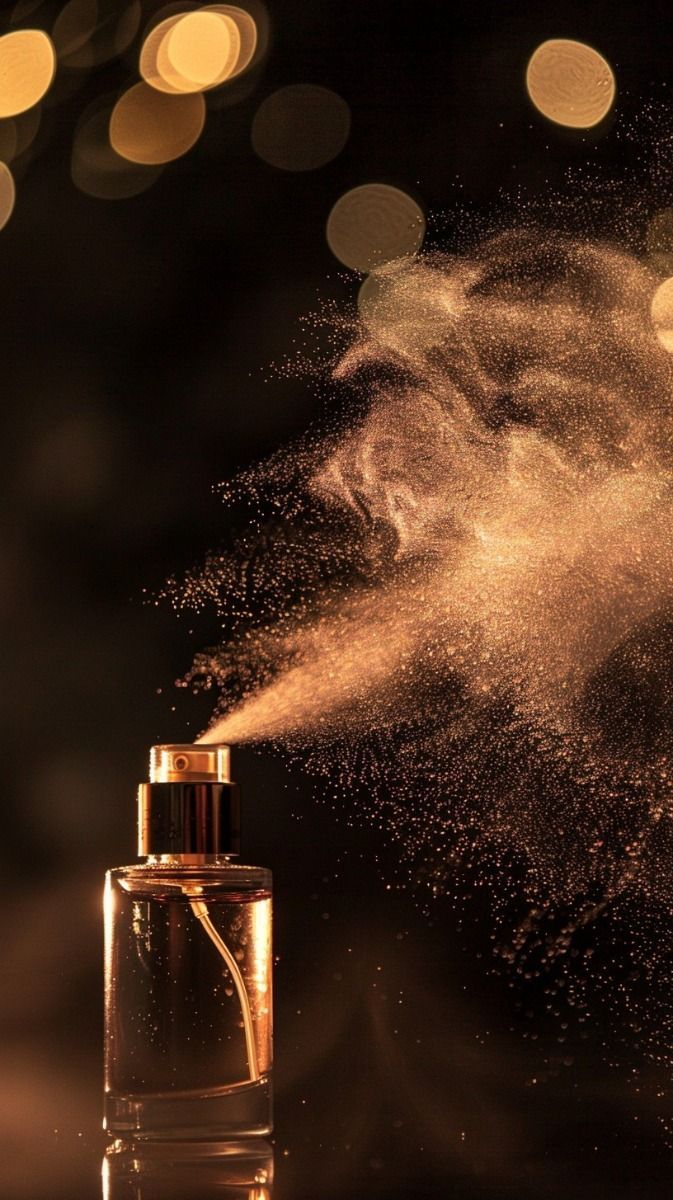
Golden Perfume Mist Face Silhouette Choose Product Swap mode to place your product directly into the reference image while preserving the original composition, layout, and visual style. This mode is faster and typically generates results in around 20 seconds. Choose Style Recreate mode to use the reference image as inspiration for its style and structure, then intelligently redesign the scene based on your product's unique shape, color, and characteristics. This mode produces a more customized, high-quality creative design and typically takes around 50 seconds to generate.
テンプレートはサンプル入力、プロンプト構造、モデル選択、プレビュー方向をまとめて保持し、再利用可能なワークフローから開始できます。
このテンプレートの焦点
Golden Perfume Mist Face Silhouette はこの具体的な制作タスクに向けたテンプレートです: Golden Perfume Mist Face Silhouette Choose Product Swap mode to place your product directly into the reference image while preserving the original composition, layout, and visual style. This mode is faster and typically generates results in around 20 seconds. Choose Style Recreate mode to use the reference image as inspiration for its style and structure, then intelligently redesign the scene based on your product's unique shape, color, and characteristics. This mode produces a more customized, high-quality creative design and typically takes around 50 seconds to generate.
関連方向: 香水 / advertising / ラグジュアリー / premium-studio。
プレビュー、タグ、ワークフローメモを使って、このテンプレートが反復可能な制作タスクに合うか確認します。
方向性をプレビュー
Golden Perfume Mist Face Silhouette ワークフローを開く前に、ビジュアルスタイルと出力イメージを確認します。
構造を再利用
空白のキャンバスではなく、保存済みのプロンプト、モデル選択、出力設定から始めます。
入力を差し替え
制作パスを保ったまま、参照素材、商品、キャラクターを差し替えます。
このワークフローは、何を用意し、何を再利用し、次の素材やキャンペーンにどう変えるかを素早く判断する助けになります。
Golden Perfume Mist Face Silhouette で変換したいキャラクター、商品詳細、プロンプト、元素材を追加します。
モデル選択と手順を作り直さず、保存済みの Golden Perfume Mist Face Silhouette プロンプトフローを出発点にします。
次の素材、キャンペーン、キャラクターでも Golden Perfume Mist Face Silhouette の同じ設定を再利用し、出力スタイルを一貫させます。
関連ページでテンプレートを比較し、用途を理解して、適切な制作ワークフローに進めます。
このワークフローが次の商品ビジュアル、キャンペーン素材、キャラクター動画に合うか判断するための実用的な情報です。
Golden Perfume Mist Face Silhouette Choose Product Swap mode to place your product directly into the reference image while preserving the original composition, layout, and visual style. This mode is faster and typically generates results in around 20 seconds. Choose Style Recreate mode to use the reference image as inspiration for its style and structure, then intelligently redesign the scene based on your product's unique shape, color, and characteristics. This mode produces a more customized, high-quality creative design and typically takes around 50 seconds to generate.
ワークフローに合う素材、プロンプト、商品情報、参照内容から始めます。Genflow Studio を開いた後でサンプル入力を差し替えられます。
はい。Genflow テンプレートを Studio にコピーすると、プロンプト、入力、モデル手順、出力設定を自分の制作に合わせて調整できます。
はい。テンプレートは再利用可能な制作プロセスを保持するため、チームは同じようなタスクをゼロから組み直さずに実行できます。
プレビュー素材、説明、タグを確認し、商品ビジュアル、キャンペーン素材、動画広告、編集自動化などの反復可能な制作タスクに合うか判断します。